RetroHexChat
 レトロヘックスチャット
レトロヘックスチャット
チャットを開いています...
Retro Hex Chat の機能
Retro Hex Chat の機能
公開チャットの機能をご紹介します:リアルタイムのチャンネル、バーチャルスペース、プライベートP2P音声・ビデオ通話、チャンネル会議、ファイル転送、ゲーム、ボット、IRCスタイルのコマンド、内蔵ヘルプ。
機能の概要
リアルタイムチャット
リアルタイムチャット。更新不要。読み込み待ちなし。
#elixir
───────────────────

● alice                           10:23
  Good morning! Anyone tried Phoenix 1.8?

● bob                             10:24
  Yes! LiveView is amazing

● carol                           10:25
  Agreed, performance is way better
- リアルタイムメッセージ配信: WebSocket
- 絵文字リアクションとインライン書式
- 引用付きの返信とダイレクトメッセージ
- 豊富なメタデータによるリンクプレビュー
ヘックスペイントで投稿するピクセルアートを描画する mIRCカラーでアスキーアートを作る Hex Radio でインターネットラジオを聴く
ライブ
チャンネル
チャットルームです。
#general       23 users  Welcome to the server!
#elixir        12 users  Elixir & Phoenix talk
#gaming         8 users  Game nights every Friday
#private    🔒  3 users  Invite only
- パブリック: 誰でも参加できます
- プライベート: グループ向けの招待制
- 保護: パスワードで保護されたアクセス
- トピック、モード、スローモード — すべてあなたが管理できます
柔軟
バーチャルスペース
どのチャンネルも、共有の8ビットルームにできます。
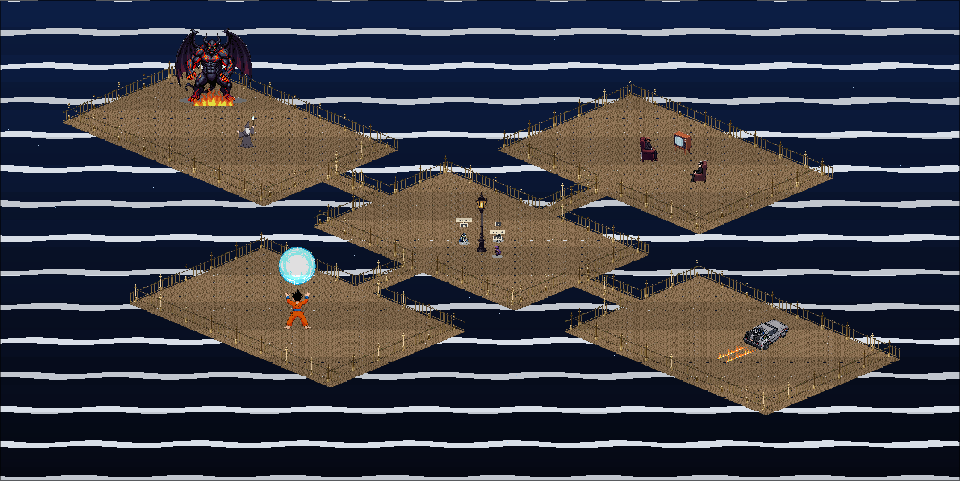
- タブの横にあるスペースボタンで、チャンネルのスペースを開きます
- 共有マップに入る前にアバターを選んでください
- サーバー検証済みの移動、衝突、着席、インタラクション
- チャンネルと DM のメッセージは、同じ会話内に吹き出しとして表示されます
空間チャット
チャンネル会議
グループ通話はチャンネル内で行われます。
- セルフホストのSFUがグループのメディアをサーバー経由で中継
- 参加前にマイク、カメラ、スピーカー、レイアウトを設定できるデバイス選択
- モデレーター操作:ルームのロック、全員をミュート、全員のカメラをオフ、参加者の削除
- 会議の統計量、小型モード、焦点/grid レイアウトと再接続処理
グループ通話
プライベートP2Pコール&ファイル
人と人との1:1の直接接続。
- プライベートボイス通話 — WebRTC経由の直接P2P
- カメラトグルとPiPによるビデオ通話
- ファイル転送 — ファイルを直接送信、アップロード不要
- TURNリレーへのフォールバックを備えた暗号化WebRTC
暗号化された
マルチプレイゲーム
WebRTC で遊べる 34 種類のマルチプレイヤーゲーム。
ポン
スター・デュエル
タンク
トレイル
ボクシング
ホッケー
インベーダー
Enduro
- 誰にもチャレンジしよう /p2p @nick
- WebRTC DataChannelによるリアルタイム同期
- ゲームプレイ用サーバーなし — プライベートP2Pセッションで同期
34 個のゲーム
アーケード
ブラウザーで遊べるクラシックゲーム。
FPS
アドベンチャー
- デスクトップでアーケードを開くか、カタログからゲームを選びます
- スクリーンショット、キーボード操作、ヒントを確認して、今すぐ遊ぶを押してください。ゲームは専用のタブで開きます。
- WebAssemblyによりブラウザー上だけで動作
- ダウンロードもプラグインも不要
18 個のゲーム
ボット
機能を追加できる、プログラム可能なボット。
● TriviaBot                       14:30
  🎯 Category: Science
  Q: What planet has the most moons?
● alice                           14:31
  Saturn
● TriviaBot                       14:31
  ✓ Correct! alice scores 3 points
- トリビア: ランキング付きのクイズゲーム
- ダイス: RPG風ダイスロール(!roll 2d6+3)
- モデレーション: 単語フィルターとスパム検出
- RSS: 通知によるフィード監視
- スケジューラー: 時間指定メッセージとリマインダー
拡張可能
運営管理
あなたのサーバー、あなたのルール。
管理パネル
リアルタイムログとメトリックを備えたフルダッシュボード。
リアルタイムログとメトリックを備えたフルダッシュボード。
ユーザー管理
アカウント、ロール、BAN、登録の管理。
アカウント、ロール、BAN、登録の管理。
モデレーション
レート制限、フラッド対策、単語フィルター。
レート制限、フラッド対策、単語フィルター。
チャンネルサービス
NickServとChanServスタイルの登録とアクセス制御。
NickServとChanServスタイルの登録とアクセス制御。
完全なコントロール
組み込みヘルプ
CHM型ヘルプシステム内蔵
Help Topics
─────────────────────
▸ Getting Started
▸ Commands
  ▸ /join   ▸ /msg
  ▸ /p2p    ▸ /whois
▸ Features
▸ Keyboard Shortcuts
- ヘルプトピックを開くか、次を入力してください /help anywhere
- キーワードマッチングで検索可能なトピック
- 相互参照の「関連項目」リンク
ドキュメント内蔵
IRC コマンド
強力な IRC スタイルのコマンド。
/join #channel     → join a channel
/msg @nick text    → direct message
/nick new_nick     → change nickname
/help              → see all commands
/whois @nick       → info about a user
スマートなオートコンプリート付きの50以上のコマンド。
50以上のコマンド
バージョン情報
MITライセンス
0.1.0-eae62b028